Programming in C
Introduction to Computing
Introduction to Computing provides the essential foundation of computer science. This chapter covers fundamentals, computing history, computer components, problem solving, pseudo-code, flowcharts, memory, variables, instructions and programs.
Fundamentals of Computing
- Computing is using algorithms and machines to transform raw data into useful information.
- Main purpose: automate tasks, solve problems and perform calculations.
- Example: Sorting marks to find the highest scorer.
Quick Example
Input: [72, 89, 34, 91]
Output: [91, 89, 72, 34]
Output: [91, 89, 72, 34]
Historical Perspective
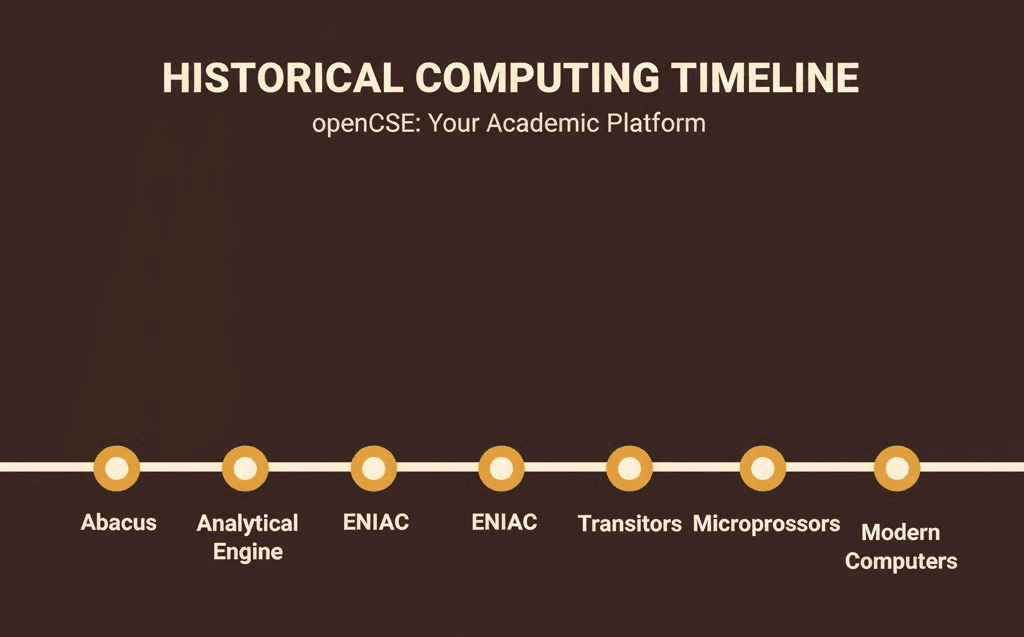
- Abacus used for basic calculations.
- Mechanical calculators such as Pascaline and Leibniz machine.
- Babbage's Analytical Engine introduced programmability.
- Electronic development: vacuum tubes, transistors, ICs, microprocessors.
- Modern computing includes personal computers, cloud, AI and IoT.
Early Computers and Machines
- Mechanical: Difference Engine.
- Electromechanical: Zuse machines, punched card devices.
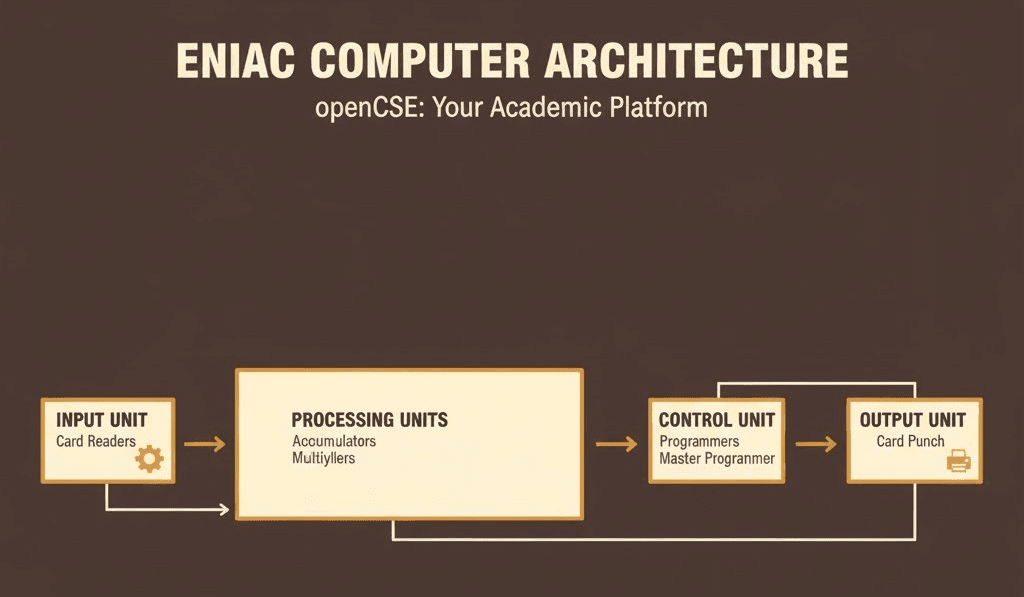
- Electronic: ENIAC and EDVAC.
Components of a Computer
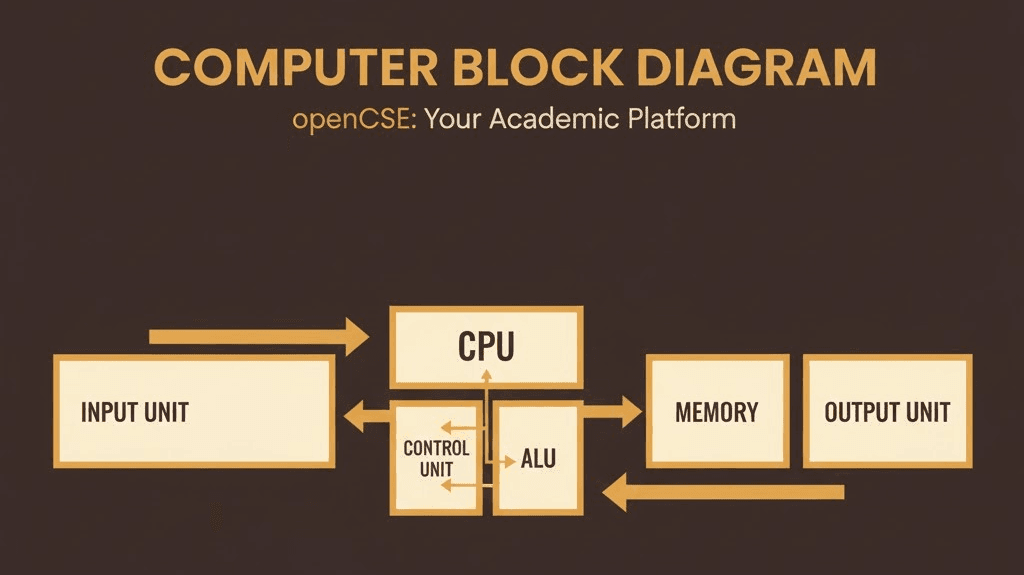
- Input devices such as keyboard and mouse.
- Output devices such as monitors and printers.
- CPU contains ALU (arithmetic and logic) and CU (control unit).
- Primary memory includes RAM and ROM.
- Secondary memory includes HDD and SSD.
- Software includes system software and application software.
Problems and Algorithm Characteristics
- Well-defined problem: has clear input, clear output and defined end state.
- Ill-defined problem: unclear goals or conditions.
- Algorithm characteristics: finiteness, definiteness, input, output, effectiveness.
Tip: In exam answers, clearly state if the problem is well-defined and list algorithm characteristics.
Pseudo-code and Flowcharts
- Pseudo-code expresses the steps of a solution in simple English-like statements.
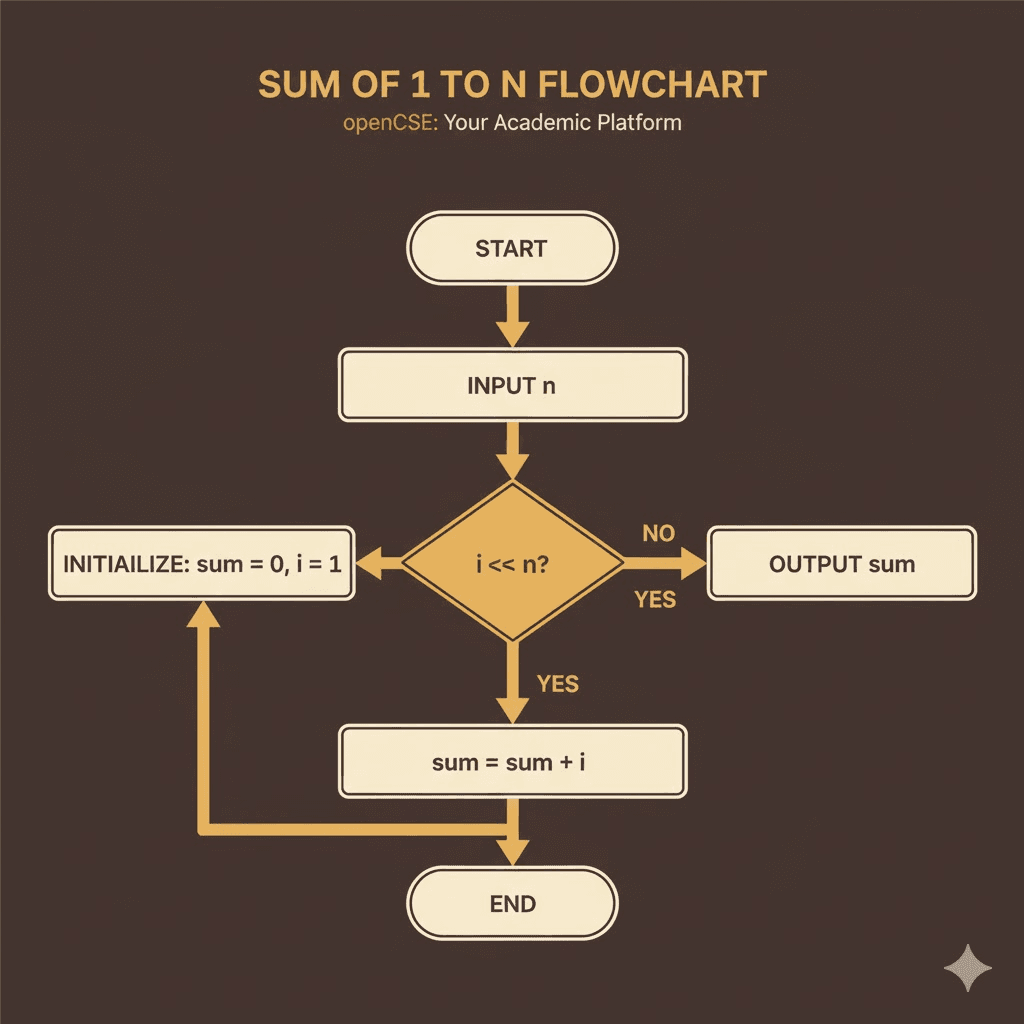
- Flowcharts represent logic using shapes: oval (Start/End), rectangle (process), diamond (decision), parallelogram (I/O).
Pseudo-code Example: Sum of first n numbers
READ n
sum ← 0
FOR i FROM 1 TO n
  sum ← sum + i
END FOR
PRINT sum
Flowchart Structure
Start → Input n → Initialize sum → Loop (i ≤ n?) → Add → Update → Output sum → End
Memory, Variables and Values
- Memory stores data and instructions in binary.
- Variables represent named memory locations.
- Values are actual stored data such as numbers and characters.
- Data types determine size and operations allowed.
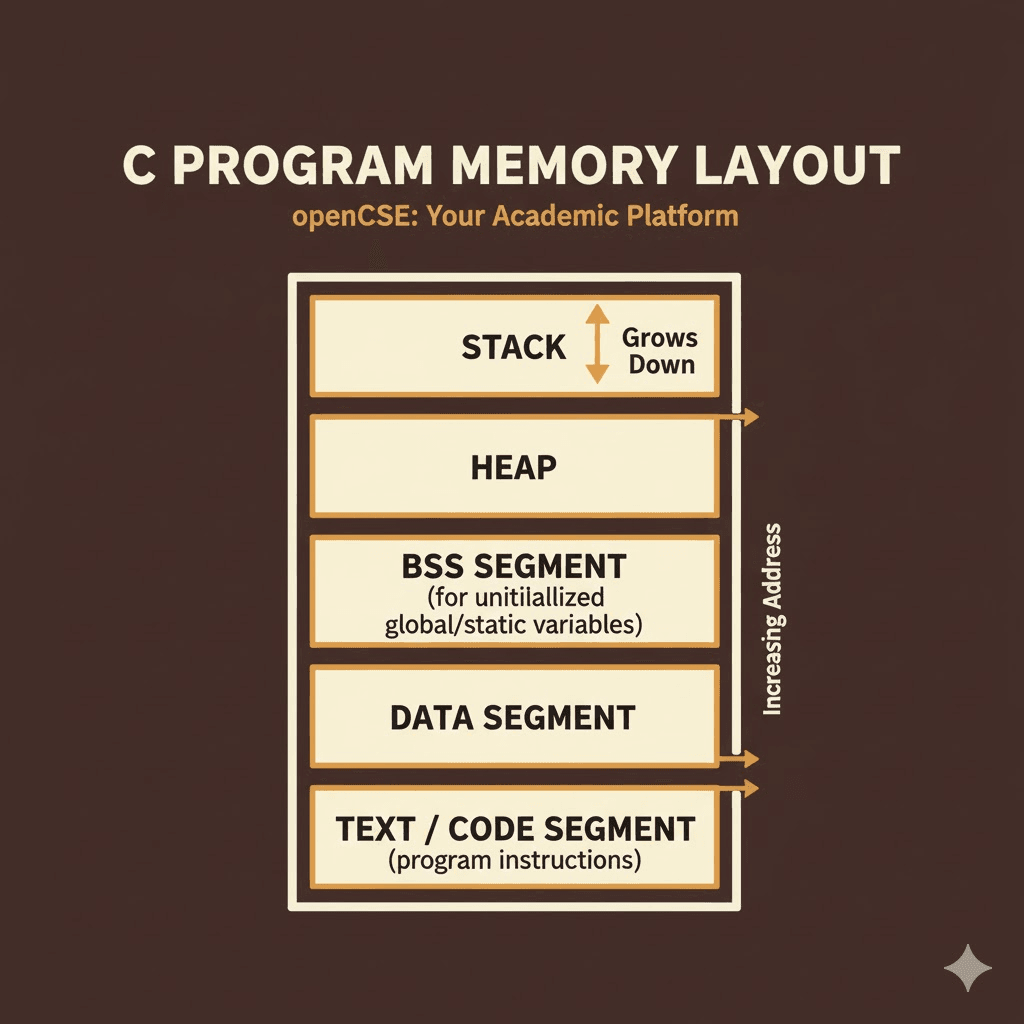
Memory Layout Example
Address   Content
0x1000    0x05     (integer 5)
0x1004    0x00
0x1008    'A'      (character A)
Instructions
- Machine instructions are binary codes executed by the CPU.
- Assembly uses mnemonic symbols.
- High-level languages require compiling or interpreting.
- Instruction cycle: Fetch, Decode, Execute, Store.
Assembly-like Example
LOAD R1, 5
LOAD R2, 10
ADD R3, R1, R2
STORE R3, 0x200
Programs
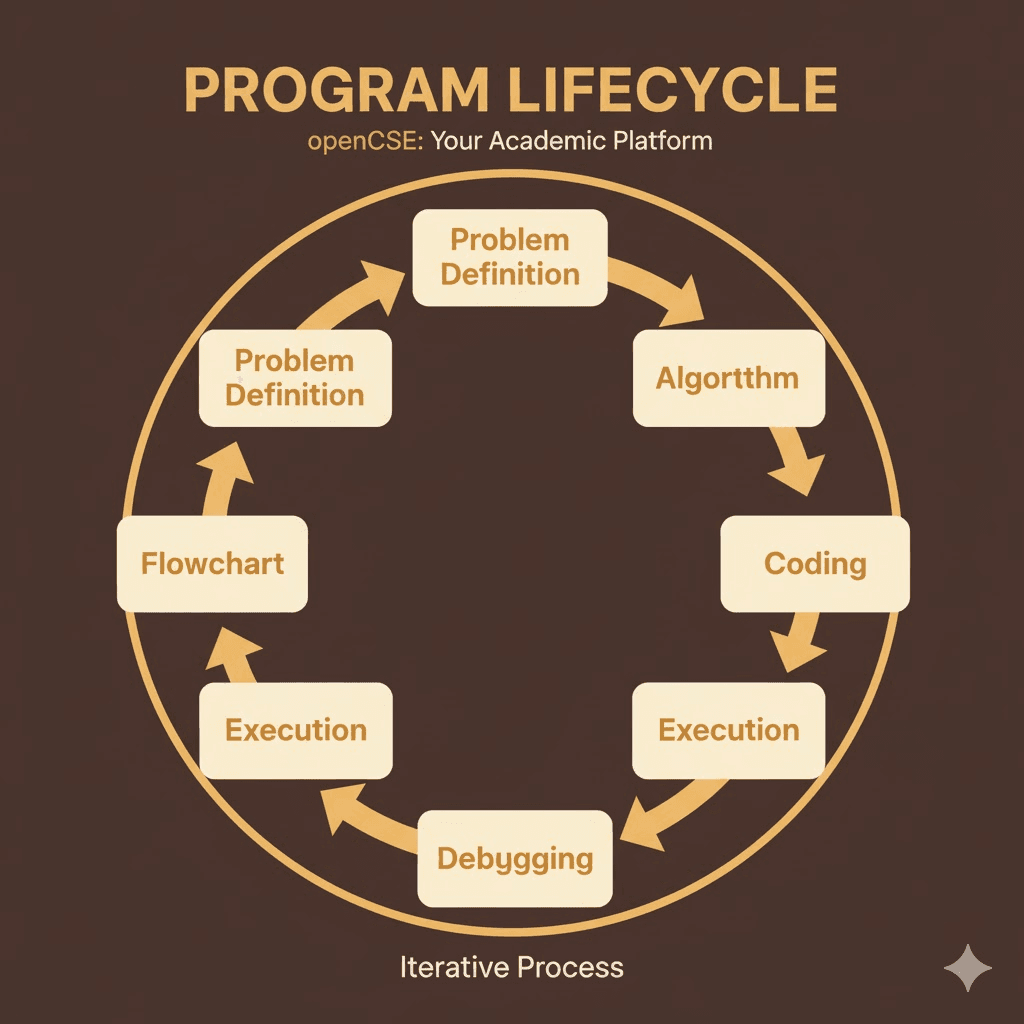
- A program is a sequence of instructions that performs a task.
- Lifecycle includes writing, compiling, linking, running, testing and maintaining.
- Example: Sorting program takes a list, processes it and outputs the sorted form.
Ready to test your Processes & Scheduling knowledge?
Processes & Scheduling
A short quiz for process concepts and CPU scheduling after the Processes section.
5 questions·No time limit·Instant feedback